Quick summary
Setting up a business class watchlist on BusinessClassSignal takes about five minutes, but the decisions you make during setup — which routes to monitor, which date windows to use, where to set your price threshold — determine whether you actually catch deals or just get noise. This guide walks through the whole process with the specific settings I'd recommend based on what I've seen work.
Before you touch the settings
Most people open a new tool and immediately start clicking things. I'd suggest a different approach: spend two minutes thinking before you configure anything. The reason is that a watchlist is only as useful as the parameters you give it, and if you set them wrong on day one, you'll either get zero alerts (threshold too low) or a flood of alerts that train you to ignore them (threshold too high). Neither is useful.
So before we get into the actual setup, here's what you need to know going in: your origin airport, your destination or region, a rough date window, and a number — the price in dollars, round-trip, at which you'd genuinely book without overthinking it.
That last one is harder than it sounds. People routinely set thresholds that are aspirational rather than realistic, then wonder why they never get an alert. If you're monitoring JFK to London and you set your threshold at $800 round-trip in business class, you will be waiting a very long time. Something in the $1,800–$2,400 range is where genuine deals show up on that route. Know the difference between "I'd love to pay that" and "I'd actually book at that price."
How the monitoring system actually works
BusinessClassSignal is a fare monitoring tool that scans 800+ business class routes twice daily and alerts subscribers when prices drop below their target threshold. It's not a booking engine — it doesn't hold seats or make reservations. What it does is watch, persistently, for the kind of price drops that disappear in hours and that you'd never catch unless you happened to be checking at exactly the right moment.
The full technical picture is on the how the monitoring system works page, but the short version is this: fares get pulled from GDS data and airline direct feeds, compared against your threshold, and if there's a match, you get an email (and optionally an SMS) with the specific flight details and a direct link to book. The link goes to the airline or an OTA — you book it yourself. That's intentional. It keeps the service clean and means you're not paying a markup.
Two scans per day might sound infrequent, but in practice it catches the vast majority of fare drops. Most business class sale prices don't materialize and vanish within two hours — they usually sit for 12–48 hours before the airline corrects them or inventory sells out. The ones that are gone in minutes are typically error fares, which are a different category entirely.
Choosing your route: specific vs. flexible
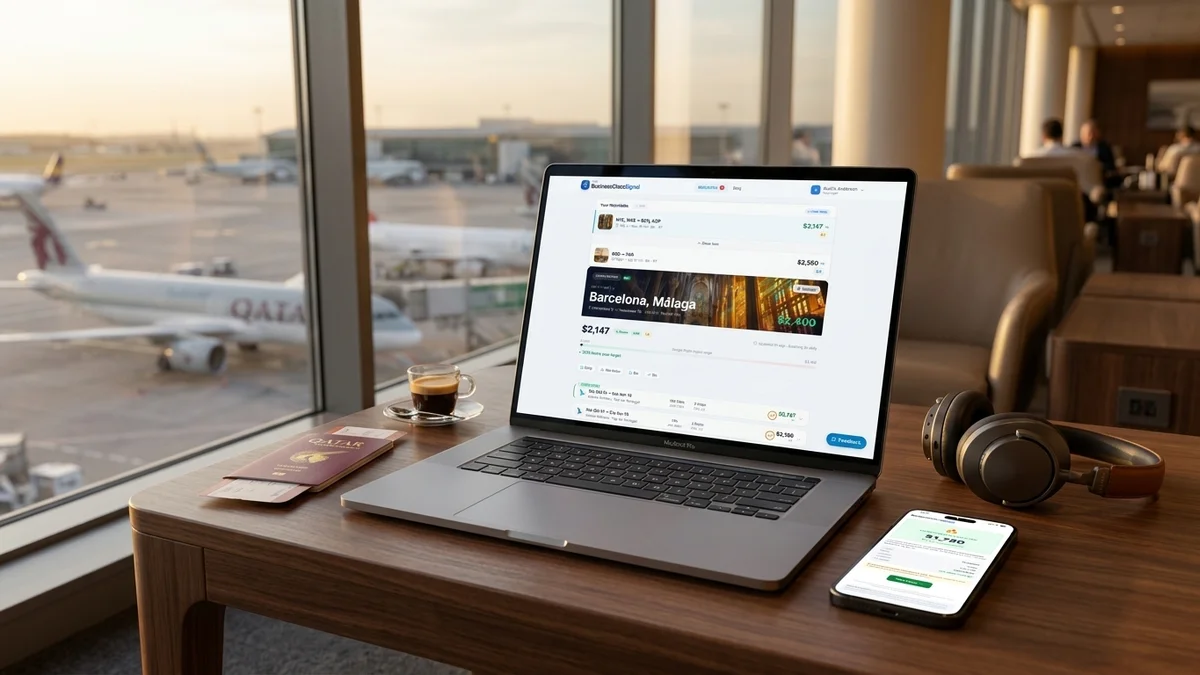
When you first log into BusinessClassSignal and hit "Create Watchlist," the first decision is whether to monitor a specific route (say, LAX to CDG) or a broader regional pairing (say, US West Coast to Western Europe). This is where a lot of people make their first mistake.
If you have a fixed departure airport and a fixed destination — you're flying from Chicago for a meeting in Tokyo, full stop — then go specific. ORD to NRT or HND, done. But if you have any flexibility at all, the regional option is almost always worth it. I've seen situations where Chicago to Osaka (KIX) comes in $600 cheaper than Chicago to Tokyo on the same day, and if you're willing to take a train from Kansai, that's a meaningful saving.
The other thing to think about is whether you're locked into a specific airline. If you're chasing status or you have a strong preference for a particular product, you can filter by carrier. But if you're open, leave that filter off. Some of the best business class deals I've seen come from carriers that weren't on the subscriber's radar at all — I remember someone monitoring JFK to Dubai on Emirates, and the alert that fired was on Etihad at $1,400 round-trip. They booked it. Great product, arguably better than what they were originally watching for.
Don't ignore nearby airports
If you're in a major metro area, add a second watchlist for your secondary airport. LAX residents who also watch BUR or LGB for positioning flights sometimes find that a $150 positioning flight unlocks a $900 saving on the long-haul. The math works more often than you'd think.
Setting your date window: the part most guides skip
Here's where a business class watchlist guide usually goes vague. Most tutorials say something like "enter your travel dates" and move on. But the date window decision is actually where you have the most leverage.
How wide should your date window be?
The wider your window, the more alerts you'll see. That sounds obvious, but the implication is less obvious: a wider window doesn't just mean more chances to catch a deal, it means the monitoring system has more inventory to scan. A two-week window centered on your ideal departure date gives you roughly four times the inventory of a three-day window.
My general recommendation is to set a window of at least 14 days if you have any schedule flexibility. If you're booking for leisure and your boss isn't waiting for you to be back by a specific date, go wider — 30 days isn't unreasonable for a trip that's 4–6 months out.
The system lets you set a "preferred week" within a broader window, which is useful. You can tell it you're ideally traveling the last week of October but you'd consider anywhere in October. Alerts in your preferred week get flagged differently so they don't get lost in the noise.
When do business class fares actually drop?
There's no single answer, but there are patterns. Airlines tend to release discounted business class inventory in a few specific scenarios: when a flight is underselling about 6–8 weeks out, when a competitor drops price and they respond, and during broader sale events that usually happen in January, late summer, and occasionally around Black Friday (though Black Friday airline sales are mostly hype for premium cabins — economy gets the deals).
The 6–8 week window is the one I'd focus on. If you're monitoring a route with a departure date in that range, you're in the sweet spot. Set your threshold, let it run, and check your email. I've seen more alerts fire in that window than any other.
Separately, Tuesday and Wednesday departures tend to have more availability at lower prices than Thursday through Sunday. If you can shift your departure by a day or two, it's worth factoring in. This is especially true on transatlantic routes where the premium weekend rush is real.
Configuring your price threshold
This is the most important setting and the one people get wrong most often. Your threshold should be set at the price where you'd book without needing to sleep on it. Not the lowest price you've ever heard of for that route. Not a number that would be a miracle. The price at which you'd open the alert, see the fare, and hit "book" within the hour.
The reason that framing matters is that business class deal fares don't last forever. If your threshold is calibrated correctly, you'll get an alert, recognize the price as genuinely good, and move. If your threshold is set too low, you'll get no alerts. If it's too high, you'll get alerts for fares that aren't really deals, you'll start ignoring them, and then you'll miss the actual deal when it fires.
A practical way to calibrate: go to Google Flights, search your route in business class for a few different dates, and note the median price you're seeing. Then set your threshold at 25–35% below that number. On a route where business class typically runs $3,200 round-trip, a threshold of $2,100–$2,400 is in the right zone. You'll get alerts a few times a year, they'll be genuinely good prices, and you'll be primed to act.
Don't set your threshold at the best price you've ever seen
That ultra-low fare you saw once, two years ago, during a pricing error — that's not a useful benchmark. Set your threshold based on what's actually achievable, not what was technically possible once. Otherwise you're monitoring for lightning to strike twice in the same spot.
Set two watchlists for the same route: one at your "I'd book immediately" price, and one at your "dream price" threshold. That way you still get alerted to very good deals while keeping an eye out for genuinely exceptional ones. Just don't let the dream-price list make you pass on the good-enough deals.
Alert settings: email, SMS, and how not to miss the good ones

Once your route, dates, and threshold are configured, you set up how you want to be notified. BusinessClassSignal defaults to email, which works for most people, but there's a few things worth tweaking.
First, make sure the alert email doesn't land in your promotions folder or spam. This sounds basic, but I've heard from subscribers who missed a deal because Gmail decided the alert was promotional. Add the sending address to your contacts on day one. It takes 30 seconds.
Second, if you're monitoring a route where timing matters — transatlantic economy-to-business upgrades, routes with limited premium inventory, anything involving a single-aircraft-type airline — turn on SMS alerts. They cost a small amount extra but they're worth it for time-sensitive routes. A fare drop alert that you see at 11pm is much more useful than one you see at 9am the next morning after the inventory is gone.
Third, set your "quiet hours" if you don't want to be woken up by a 3am SMS. The system respects whatever window you set. I personally keep quiet hours off for my top-priority routes and on for the speculative ones — routes I'm watching but not urgently.
The alert email itself is clean. It tells you the route, the price, the specific flight options available at that price, and a direct link to book. There's no upsell, no "check out these related deals." Just the information you need. I've found this is the right call — when a deal fires and you're ready to act, the last thing you want is friction.
Building a useful business class watchlist over time
One watchlist is fine. Three or four watchlists, each tuned to a specific trip you're actually planning, is better. The monitoring system is designed to run quietly in the background, and the marginal cost of adding a second or third route is basically zero.
The way I'd think about it: have one watchlist for a trip you're actively planning (specific dates, locked destination), one for a trip you'd take if the price was right (flexible dates, open destination within a region), and optionally one aspirational route that you'd book tomorrow if the fare dropped to an achievable number. That last one is how I ended up on Cathay Pacific business class to Hong Kong for $1,950 round-trip out of SFO a few years back. I wasn't actively planning the trip. The alert fired, I recognized the price was genuinely good, and I booked a trip I wouldn't have otherwise taken. No regrets.
The browse all routes page is useful here. It shows you which routes are currently active in the monitoring system, and it gives you a sense of the typical price range for each one — which helps you calibrate your threshold before you set up the watchlist.
Stacking watchlists for multi-city trips
If you're planning a trip with multiple legs — say, New York to Tokyo outbound and Tokyo to London to New York on the return — you can set up separate watchlists for each leg. You won't always find deals on both legs simultaneously, but when one fires, you can book it and wait for the other. I've built full round-the-world business class itineraries this way, one leg at a time, over a few months.
What a good business class watchlist guide won't tell you
Here's the part that doesn't make it into most tutorials: monitoring services work better when you're ready to act. This sounds obvious, but it has practical implications.
Before your watchlist goes live, make sure your passport is valid (and has at least six months beyond your return date — some countries are strict about this). Know which credit card you're putting this on and whether you need to notify your bank. Have a sense of your hotel situation at the destination so you're not paralyzed by logistics when the alert fires. The deals that disappear fastest are the ones where someone hesitated because they needed to "figure out the rest of the trip first."
I've talked to subscribers who got an alert on a genuinely good fare, spent 45 minutes looking at hotels, and came back to find the business class seats were gone. The economy cabin was still wide open — but the four business class seats at the sale price had sold out. That's a painful way to learn the lesson.
Also worth saying: not every route will fire frequently. Some routes see a deal alert once every few months. Others are more active. Cathay Pacific tends to run quiet sales on Pacific routes a few times a year. Lufthansa has periodic fare drops on US-Germany routes that are worth watching. But if you're monitoring a thin route with limited competition and one dominant carrier, you might wait a while. That's not a failure of the system — that's just how airline pricing works on certain routes.
If you're monitoring a route that hasn't fired in 60+ days, check whether the threshold is set too low or whether the route just doesn't see frequent discounting. You can also start monitoring this route with a slightly higher threshold as a test — sometimes raising it by $200–$300 changes everything.
The honest version of a business class watchlist guide includes this: you will sometimes miss deals. An alert will fire while you're in a meeting. A price will drop on a day when you can't travel. That's just how it goes. The point isn't to catch every deal — it's to catch the deals that fit your life, more often than you would by checking manually.
For what it's worth, I've found that subscribers who have the most success with BusinessClassSignal are the ones who set it up, forget about it for a while, and then get a pleasant surprise in their inbox. The ones who obsessively check the system and second-guess their settings tend to either miss deals by overthinking or burn themselves out. Set it up well once, and let it do its job.
Start monitoring business class fares — 14-day free trial
Try Free