You've probably searched "cheap business class flights" more times than you'd like to admit.
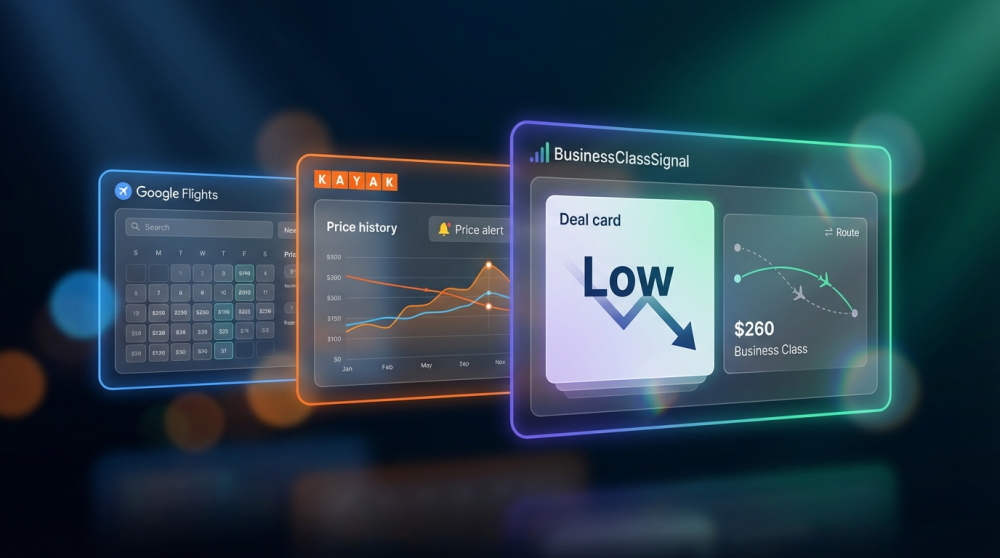
And you've probably used Google Flights and Kayak to do it. Both are excellent tools. But when it comes to specifically tracking business class fares — the $3,000–$8,000 tickets where timing can save you thousands — they each have significant blind spots.
We built BusinessClassSignal because we hit those blind spots ourselves. But this isn't a sales pitch. This is an honest breakdown of what each tool does well, where it falls short, and which approach actually works for finding premium cabin deals.
The problem: business class fare tracking is different
Economy flight deals are everywhere. Dozens of newsletters, apps, and deal sites blast them daily. But business class operates differently:
- Price swings are enormous. A route that's $6,500 today might drop to $2,800 next week — then bounce back in hours.
- Deals are fleeting. Business class sweet spots often last hours, not days. Manual checking almost guarantees you miss them.
- Cabin-specific filtering matters. You don't want economy noise cluttering your search when you're tracking a $4,000 fare window.
With that context, let's compare the tools.
Google Flights: the gold standard for searching
Google Flights is easily the best free tool for manually searching business class fares. Its data is comprehensive, its interface is fast, and its "Explore" mode is genuinely useful.
What Google Flights does well
- Comprehensive airline coverage — 400+ airlines, including codeshares, alliance bookings, and low-cost carriers
- Price level indicators — Google rates fares as "Low," "Typical," or "High" relative to historical norms
- Date flexibility — The calendar view shows the cheapest fare for each departure date
- Explore mode — Search "everywhere" from your origin to find surprise deals
- Free price tracking — Toggle "Track prices" to get emailed when fares change
Where Google Flights falls short for business class
The cabin class limitation
Google Flights alerts don't let you filter by cabin class. You'll get alerts for economy, premium economy, business, and first — all mixed together. For someone tracking a $4,000 business class target, receiving alerts about $289 economy deals is pure noise.
- No cabin class filtering on alerts. This is the biggest gap. You can search in business class, but price tracking alerts cover all cabins.
- No flexible date windows on alerts. You track a single date pair. You can't say "alert me if business class drops below $3,500 anytime in March."
- No stopover or airline preferences. You can filter while searching, but alerts don't respect those filters.
- No target price threshold. Google decides when a price change is "significant" — you can't define your own target.
Google Flights is excellent for verifying a deal once you've found it. Use it as your booking tool, even if you use something else to find the deal.
Kayak: powerful search, limited monitoring
Kayak is a metasearch engine that aggregates fares across booking platforms. Its historical price data is genuinely useful for understanding whether a fare is good.
What Kayak does well
- Price history graphs — See 3–12 months of historical pricing to judge if today's fare is actually a deal
- "Price Forecast" — Kayak predicts whether prices will rise or fall (though accuracy varies)
- Multi-OTA comparison — Shows the same flight across booking.com, Expedia, airline direct, etc.
- Fare alerts — Set alerts for specific routes and get emailed about changes
Where Kayak falls short for business class
- Alerts still lack cabin class control. Like Google, Kayak's alerts don't reliably filter to business class only.
- No multi-airport or multi-date monitoring. You can't set "SFO + OAK + SJC to LHR + LGW, anytime in June–July."
- Alert frequency is inconsistent. Some users report delays of 24–72 hours before receiving price change notifications.
- No price target threshold. You receive alerts on any notable change, not when the fare crosses your specific number.
- Booking redirects can be confusing. You often end up on third-party OTAs with different pricing.
Dedicated business class price alerts: filling the gap
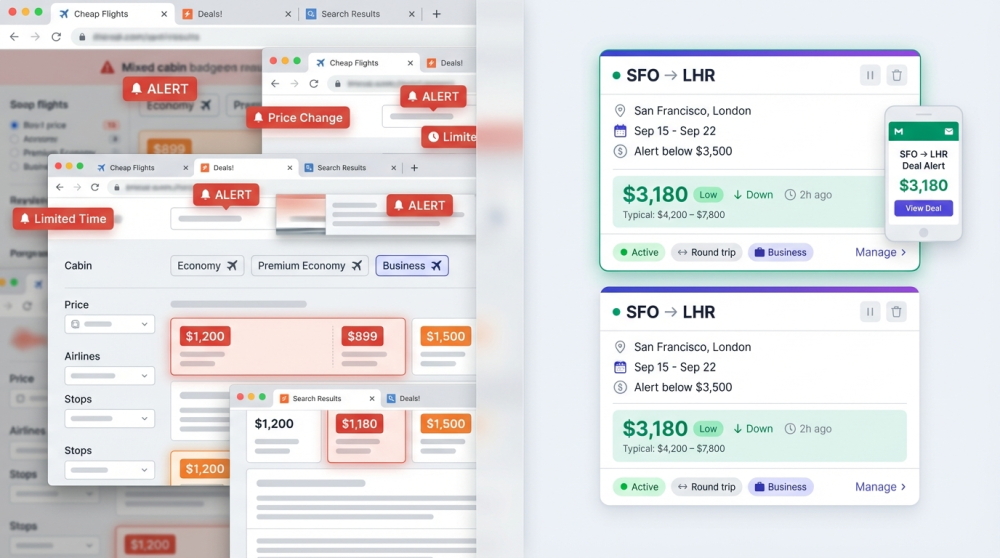
This is where purpose-built tools like BusinessClassSignal come in. The concept is simple: instead of searching manually, you tell the system exactly what you want and it monitors 24/7.
What dedicated trackers do differently
- Business class only. No economy noise. Every alert is the cabin you actually fly.
- Target price thresholds. Set "alert me when SFO → NRT business drops below $3,500." No alerts until that number hits.
- Flexible date windows. Track entire month ranges or specific dates with ±1 to ±3 day flexibility.
- Multi-airport monitoring. "SFO + OAK + SJC → FCO + MXP" as a single watchlist.
- Stopover and airline filters. Exclude airlines you don't want. Limit to nonstop or 1-stop.
- Price trends and Google fare ratings. See whether prices are trending up, down, or stable, plus Google's Low/Typical/High assessment.
- Instant email alerts. Direct Google Flights booking link included. One click to verify and book.
What is BusinessClassSignal?
BusinessClassSignal is a dedicated business class fare monitoring service. You create a "watchlist" for your route, set your target price, and we scan daily. When fares drop below your target, you get an email with the deal details and a direct booking link. Free to start, no credit card required.
Side-by-side comparison
| Feature | Google Flights | Kayak | BusinessClassSignal |
|---|---|---|---|
| Business class filtering | Search only | Search only | ✅ Alerts + Search |
| Target price alerts | ❌ | ❌ | ✅ Custom threshold |
| Flexible date monitoring | ❌ Single date | ❌ Single date | ✅ ±3 days or full months |
| Multi-airport watchlists | ❌ | ❌ | ✅ Multiple origins + destinations |
| Stopover limits | Search only | Search only | ✅ Enforced on alerts |
| Airline exclusions | Search only | ❌ | ✅ Blacklist airlines |
| Price trend tracking | Limited | ✅ History graphs | ✅ Up/Down/Stable trends |
| Google fare level (Low/High) | ✅ | ❌ | ✅ Integrated |
| Alert frequency | Variable | 24–72h delay | Daily (2x/day on paid) |
| Direct booking link | ✅ | OTA redirects | ✅ Google Flights direct |
| Cost | Free | Free | Free plan available |
Which tool should you use?
The honest answer: use them together.
The recommended workflow
- Set up a BusinessClassSignal watchlist for each route you're tracking. Define your target price, dates, and preferences. This runs in the background 24/7.
- Use Google Flights to verify deals when you receive an alert. Check the "Cheapest" tab — booking partners may offer even lower fares than the headline price.
- Check Kayak's price history if you're unsure whether a fare is actually good. Their 3-month graphs give useful context.
— Typical BusinessClassSignal user workflow
Set it and forget it. The watchlist scans daily. When the price drops below your target, you get an email with a direct booking link. Click, verify, book. Done.
Frequently asked questions
Can Google Flights track business class prices specifically?
Google Flights lets you search in business class, but its price tracking alerts do not filter by cabin class. You'll receive alerts for all cabins on that route, which creates noise if you only fly business.
Is Kayak's price prediction accurate for business class?
Kayak's "Price Forecast" works better for economy than premium cabins. Business class pricing follows different patterns (corporate demand, seasonal shifts, inventory releases) that general prediction models don't capture well.
How quickly do business class deals disappear?
It varies by route, but exceptional deals (30%+ below typical) often last less than 24 hours. This is why automated monitoring with instant alerts matters — manual checking once a day usually isn't fast enough.
Do I need to pay for a business class fare tracker?
BusinessClassSignal offers a free plan with 1 watchlist, daily scans, and email alerts. Many users find their deal on the free plan alone. Paid plans add more watchlists, faster scans, and advanced filters.
Can I use BusinessClassSignal alongside Google Flights alerts?
Absolutely. They complement each other well. BusinessClassSignal handles the business-class-specific monitoring with your custom target price. Google Flights is where you click through to actually book.
The bottom line
Google Flights and Kayak are excellent tools. But for the specific task of continuously monitoring business class fares against a target price across flexible dates — they weren't built for that.
Dedicated price alert tools like BusinessClassSignal exist precisely because that gap matters when a single deal can save you $1,500–$3,000 per ticket.
The setup takes 2 minutes. The free plan works forever. And you might find your next business class deal without ever refreshing a tab again.
Stop manually checking fares. Set your target price and let us find the deal.
Create Your Free Watchlist