The short version, before we get into it
A fare alert is exactly what it sounds like: a notification that tells you when the price of a flight drops. You set a route, you set a threshold — or let a service do it for you — and when the price falls into interesting territory, you hear about it.
Simple concept. But the execution is where most people get tripped up, especially in business class, where pricing works very differently from economy.
I've been tracking premium cabin fares for over a decade. I've watched $8,000 business class tickets to Tokyo drop to $1,900 on a Thursday afternoon and bounce back to $6,500 by Monday morning. The people who caught that deal weren't lucky. They had alerts running. The people who missed it were refreshing Google Flights manually, the way most of us start out doing it, which is fine — until you realize you're spending 20 minutes a day checking prices that barely move, and then the one time they actually do move, you're in a meeting.
That's what this guide is about. What a fare alert actually is, how business class pricing works (because it's weird), what to look for in a monitoring service, and how BusinessClassSignal does it specifically.
Why business class fares are so hard to track manually
Here's something that surprises a lot of people: airlines don't have one price for business class. They have dozens. A seat on a given flight might sit in any number of "fare buckets" — internal pricing categories that shift constantly based on demand, how far out the flight is, what competitors are doing, and honestly, factors that even airline revenue managers will describe with a certain amount of hand-waving.
Economy fares are volatile too, but the swings are usually measured in the tens or low hundreds of dollars. Business class is different. The same JFK to London Heathrow seat in British Airways Club Suite might be $2,200 round-trip on a fare alert Tuesday, and $7,400 a week later. I've seen that exact spread. Multiple times.
And the drops don't follow a clean schedule. There's no reliable "book on Tuesday at 3pm" rule that actually holds up in premium cabins. What does happen is that airlines periodically release promotional fares, adjust inventory ahead of schedule changes, make mistakes (yes, actual fare mistakes that occasionally survive long enough to ticket), or respond to a competitor's pricing move. These windows are often short — sometimes hours, occasionally just 45 minutes before someone catches it and the fare gets pulled.
Trying to catch those windows by checking manually is like trying to catch rain in a thimble. You might get lucky occasionally. But you'll miss most of it.
This is the actual problem that a business class fare alert solves. Not just convenience — though that's real — but access to opportunities you'd otherwise never see.
What is a fare alert, technically speaking
At its core, a fare alert is a piece of software running somewhere that repeatedly checks flight prices on your behalf and sends you a notification when something meaningful changes.
The "meaningful" part is where services differ from each other significantly.
Google Flights has a price tracking feature. It'll email you when fares change on a route you're watching. That's useful, and I recommend using it as a free baseline. But it has real limitations for business class hunters: it doesn't score deals against historical pricing, it doesn't distinguish between a fare that's technically lower than last week but still terrible, and it won't tell you whether what you're seeing is a genuine opportunity or just noise.
More specialized services — and this is what BusinessClassSignal is built around — do a few additional things. They scan prices more frequently (multiple times per day), they score what they find against historical data for that route, and they're specifically calibrated for premium cabins rather than treating a $50 economy drop the same as a $2,000 business class price collapse.
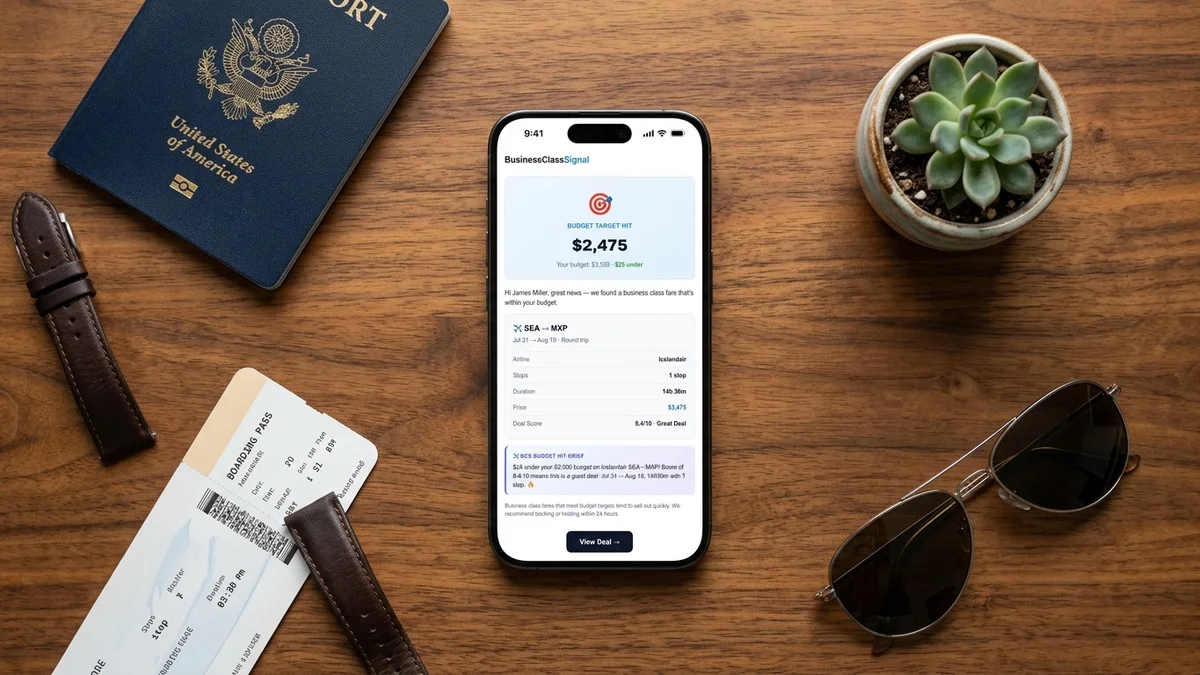
The alerts themselves can arrive by email, push notification, or both, depending on the service. Speed matters here. If a mistake fare surfaces at 2pm and the airline pulls it at 2:45pm, an alert that arrives at 6pm is useless. This is why scan frequency is one of the most important technical specs to ask about when evaluating any fare monitoring service.
BusinessClassSignal scans Google Flights data multiple times daily. That's not marketing language — it's the operational reality that determines whether alerts are actionable or just historical footnotes.
How deal scoring works — and why it matters more than the raw price
This is the part that took me a while to fully appreciate, even after years of tracking fares.
A fare alert that just tells you "the price dropped" is giving you incomplete information. What you actually want to know is: dropped relative to what? Is $2,800 round-trip on Singapore Airlines in Business Class from Los Angeles to Singapore a good deal? Depends on what that route normally runs. If it's typically $4,500–$5,500, then yes, that's a deal worth moving on. If it's frequently available at $2,600, then $2,800 is just... Tuesday.
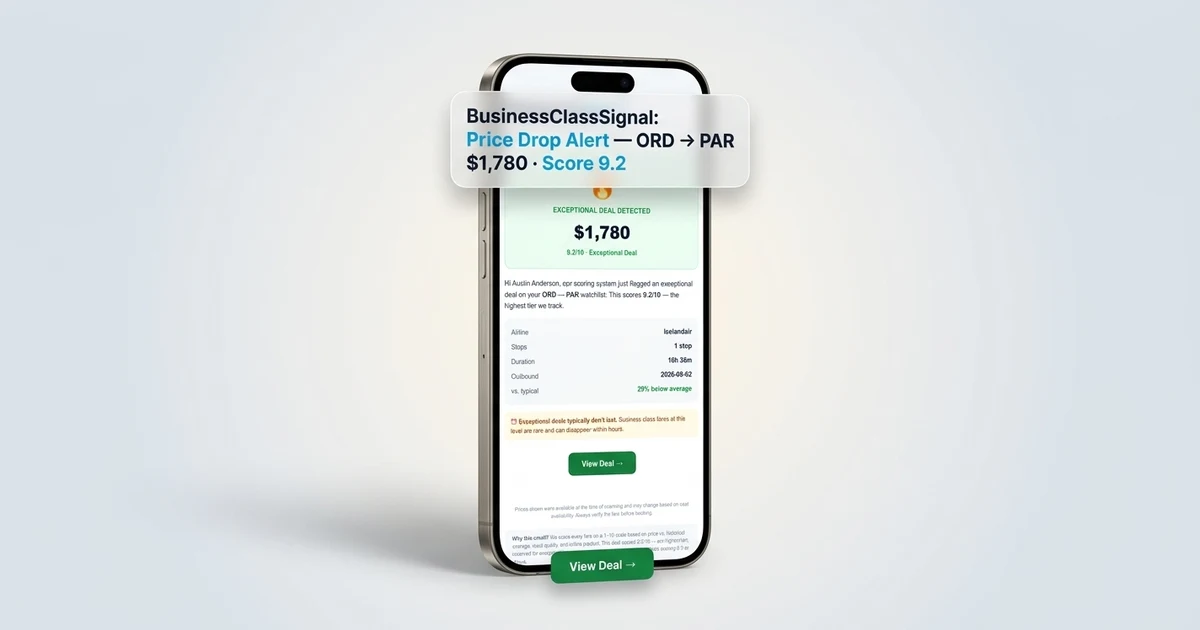
BusinessClassSignal assigns every flagged deal a score from 1 to 10. A 9 or 10 means the price is dramatically below what that route typically sees — the kind of thing where you should probably have a browser tab open to the airline's booking page before you finish reading the alert. A 5 or 6 means it's a decent dip, worth considering if your dates are flexible and you were already thinking about this trip. A 3 means the price moved, but not in a way that should make you scramble.
That scoring layer is what turns raw price data into something you can actually make decisions with. And it's particularly important in business class, where the variance is so large that "lower than yesterday" tells you almost nothing useful.
The AI market briefings — which give you a bit of context about what's driving a fare shift, whether it's a sale, a competitor response, or a possible error — add another layer on top of that. Not every alert comes with a clear explanation, but when there is one, it changes how you respond. A flash sale fare might last 72 hours. A mistake fare might disappear in 40 minutes. Knowing which one you're dealing with is genuinely useful.
Setting up your first fare alert on BusinessClassSignal
I'll walk through this concretely, because the concept is easier to absorb when it's attached to a real scenario.
Say you've been thinking about flying business class from Chicago to Tokyo. Maybe you've been watching ANA's The Room — which is a legitimately exceptional seat, one of my favorites in the sky — or Japan Airlines' JAL Sky Suite. Both run the Chicago O'Hare to Tokyo Haneda route, and both typically price in the $4,000–$7,000 range round-trip in business class. But deals surface. I've seen them dip into the $2,200–$2,800 range a handful of times in the past two years.
Here's how you'd set it up:
- Create an account. Free tier gets you one watchlist route. That's actually enough to start — pick your most-wanted route and see how the system works before committing to a paid plan.
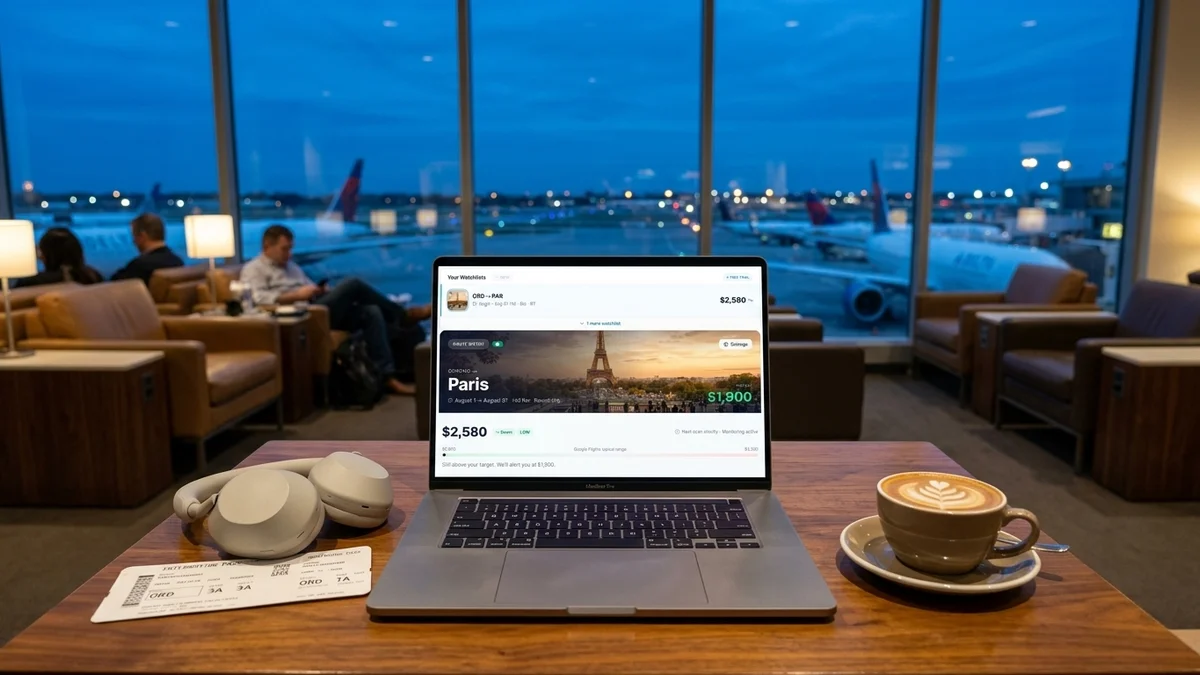
- Enter your route. Origin airport, destination airport, cabin class. You can specify one-way or round-trip. You can leave dates open (recommended if your schedule has any flexibility) or pin specific windows.
- Set your alert threshold. This is where you tell the system what you want to hear about. You can set a price ceiling — "alert me if business class on this route drops below $3,000 round-trip" — or let the deal scoring system flag anything above a certain score, which is often more useful because it accounts for what's normal on that specific route.
- Choose your notification method. Email, push notification, or both. If you're hunting a mistake fare or a flash sale, you want push.
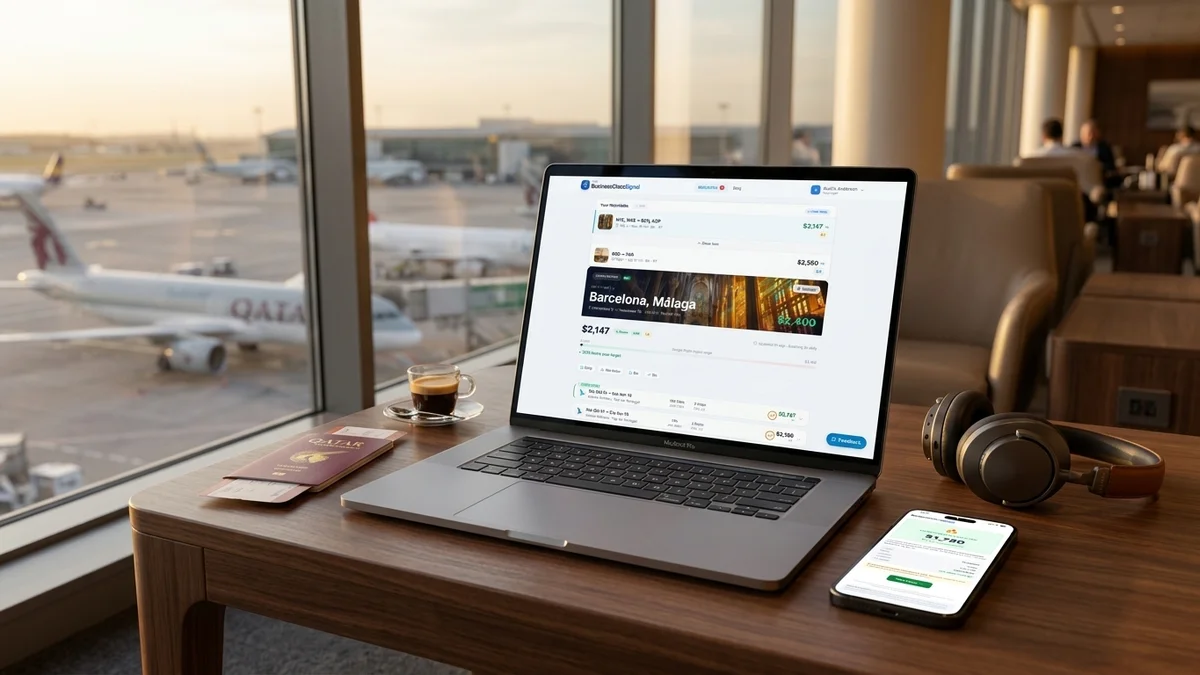
Once that's running, you stop thinking about it. The system is checking while you're in meetings, sleeping, or doing literally anything else. When something worth seeing shows up, you get the alert. You then have a decision to make — and that decision is much easier when you know the deal score and have some context about why the price moved.
The Core plan ($36/month) gets you multiple route watchlists and the full deal scoring interface. Pro ($78/month) adds the AI market briefings and priority alerts for the highest-scoring deals — useful if you're monitoring several routes at once or if you're the kind of person who books multiple business class trips a year and wants every possible edge.
You can start monitoring this route on the free tier to get a feel for how the alerts actually work before you put any money in.
What to do when an alert fires
This is the part nobody talks about, and it matters.
Getting a fare alert is not the same as booking a flight. It's the starting gun for a short decision window. How short depends on what kind of fare surfaced.
First: read the alert properly. What's the score? What dates does the deal cover? Is it flexible-date pricing or tied to specific travel windows? Some deals are genuinely open across a wide range of dates; others are narrow — specific departure weeks, specific return windows.
Then check the booking path. Some business class fares book directly on the airline's website. Others — particularly certain promotional fares — come and go on third-party booking platforms, or are bookable through specific portals. The alert should point you toward where to book. If it doesn't, go directly to the airline's site first.
Have your passport details, payment info, and travel preferences (seat selection, meal preferences if applicable) somewhere accessible. Not because you'll need all of it in the first 30 seconds, but because the booking process on some airline sites is slow, and the fewer times you have to pause and dig for information, the better.
And if the dates don't work? Forward the alert to someone who might want it. Seriously. I've had readers tell me they've passed along alerts to family members who were planning trips, and the family members booked. The deal doesn't care whose credit card it goes on.
If you miss it — if you see the alert three hours late and the fare is gone — don't spiral. Log the route and the price you saw. It helps calibrate your expectations for what that route can do, and it's useful information for setting your threshold next time.
Routes worth monitoring right now
I get asked this a lot. Which routes actually produce good deals? The honest answer is that it varies, and the best way to know is to look at the data for your specific routes rather than take anyone's word for it.
That said, there are some patterns worth knowing.
Transatlantic routes — particularly anything involving London, Paris, or Frankfurt — tend to generate the most frequent business class fare drops, partly because of competition between carriers. When Virgin Atlantic drops a sale on Upper Class fares to London, British Airways often responds. That competition creates windows.
Transpacific is less frequent but the drops are more dramatic when they happen, because the base fares are higher. A $1,500 drop on a transatlantic route is notable. A $1,500 drop on a JFK–Tokyo route barely registers; you're looking for $2,000–$3,000 swings.
Middle Eastern hubs — Dubai, Doha, Abu Dhabi — occasionally see sharp drops on connecting business class itineraries, particularly when Emirates, Qatar Airways, or Etihad are running promotions. These are worth monitoring if you're flexible on routing.
You can browse all routes we're currently monitoring to see which ones have been active lately. The route pages show historical deal frequency, which gives you a realistic picture of how often something worth booking actually surfaces.
One honest caveat: some routes almost never produce meaningful business class deals. If you're trying to fly premium cabin on a thin route with one or two carriers and limited competition, you might wait a long time. A fare alert is still worth running — when deals do surface, you want to know — but temper your expectations about frequency.
The free tier is a real thing, not a teaser
I want to address this directly because I've seen people assume that "free" on a fare monitoring service means "useless demo."
The free tier on BusinessClassSignal gives you one active route watchlist. One. That's a real constraint. But if you have one route you care about — say, you're planning a business class trip to Europe next year and you want to know when fares get interesting — one watchlist is genuinely enough to see whether the service works for you.
You'll get real alerts. Real deal scores. Real notifications when something surfaces on your route. What you won't get is the ability to monitor multiple routes simultaneously, the AI briefings, or the priority alerts for top-scored deals.
If you've never used a fare alert service before, starting on the free tier and monitoring one route for 30–60 days is exactly the right approach. You'll learn what the alerts feel like, how accurate the scoring is, and whether the timing works for your decision-making style. Then you can decide if upgrading makes sense.
Most people who book a business class flight through an alert they caught on BCS upgrade immediately afterward. Not because they're upsold into it — because they saved enough on the flight that the subscription cost becomes genuinely trivial in comparison.